R. Klaassen, Product Owner & Senior Meteorologist
I'm Weather has received a major update and you will definitely notice it as a user! The model maps are now visualized in a different way, making everything run faster and smoother. On top of that, this V3 version brings many more improvements that will make a lot of things feel much more intuitive.
"The biggest user-visible wins are: GPU-accelerated multi-layer rendering and deep per-layer customization. This build is not a small iteration — it is a full map platform replacement."
- H. Dietz, lead developer I'm Weather
Overview new features
The biggest technical change is the introduction of V3 maps. We now work with WebGL Maps. This has been a major overhaul of the platform that has been thoroughly tested. By rebuilding the map engine, we have become more robust and are ready for the next steps. The benefits you will notice directly as a user are:
- We offer a much more flexible, responsive, and smooth user experience.
- The system and the presentation of weather maps work much more fluidly once the data is loaded.
- The application errors that used to appear when you moved quickly through the time bar are now a thing of the past.
- Isolines would sometimes load only partially or not at all, but this has now been fixed.
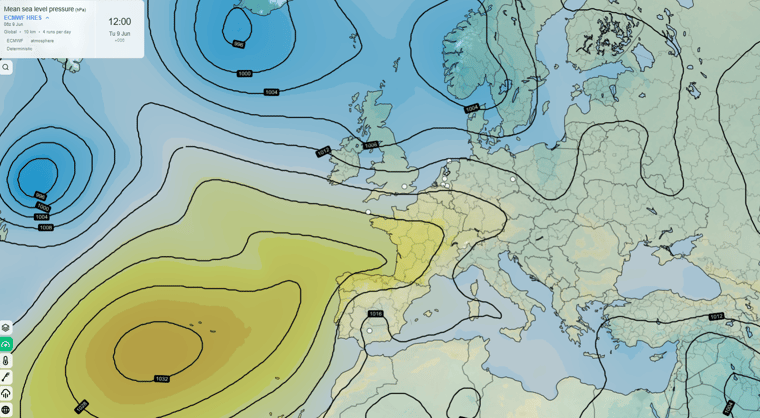
- Maps with multiple elements run smoothly and are always complete once loaded. Take a look at the Airmass maps! Personally, I am also a big fan of the Overview map and the Mean Sea Level Pressure map, they look fantastic now.
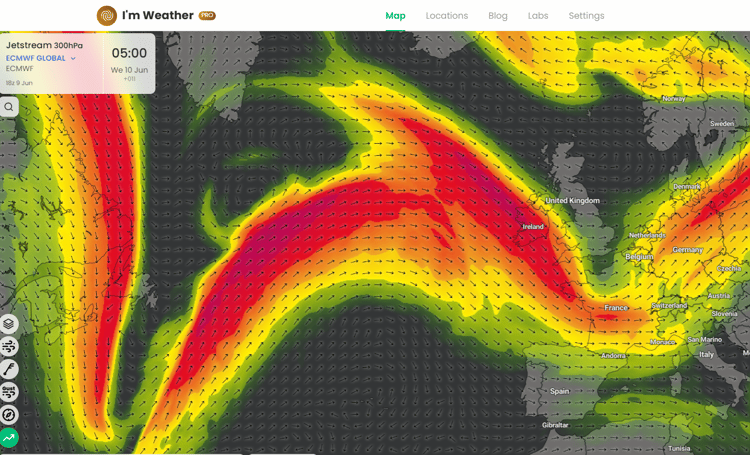
Screenshot I'm Weather
The WebGL maps come with many settings. We have set the defaults so that you should have a great experience right away, but you can of course always check and adjust the settings yourself. Further on in this blog we explain the most important and new settings in detail.
Context menu
A very handy feature is that you can now open a context menu on the map with a left mouse click. From there you can go directly to all kinds of options for that location.
More ensembles
Pro users now have access to more ensemble models. In this round those are the German ICON and RUC models from DWD, and also (in beta) the ECMWF AIFS ensemble.
Favorite models and elements
A popular request from pro users was the ability to mark elements and models as favorites. From now on, that is possible. Check the star next to the model and it will appear at the top of the model list from then on. You select your favorite elements in the same way. Your first 5 elements are also always placed in the bottom left of the screen.
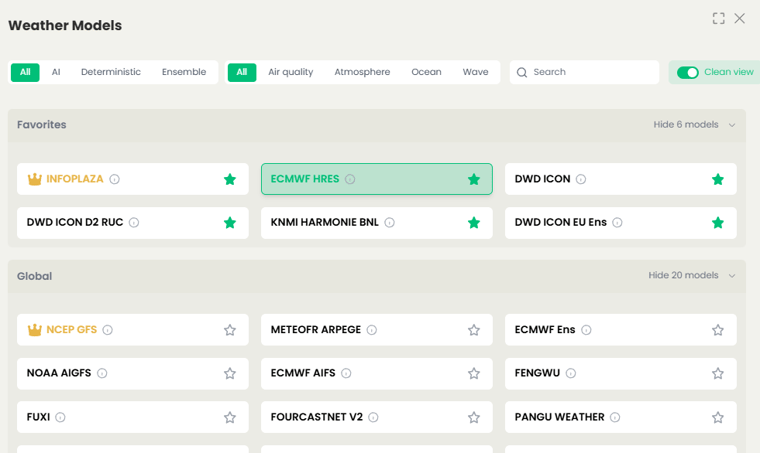
Favorite your models
Extra: The settings screen
The settings screen on the right side of the screen has received a significant update with the introduction of V3 Maps. Below we walk through the most important settings.
-
The first part covers the general map view settings. These settings are self-explanatory and can be adjusted to your preference.
-
The second part covers images, the colored layers you see displayed over the map, for example temperature. For this layer you can choose whether to show it, adjust the transparency, and set limits by filtering the boundary values.
-
Displaying grid values can also be adjusted with various settings. These settings speak for themselves and are worth experimenting with.
-
For multiple elements you can enable particles to visualize the flow. Settings for this are also available. For waves we now also have the option of an animation to show the flow.
-
When you view a map with multiple elements, for example Overview, you will see in the settings that you can adjust each element individually. The Overview element has two image layers (clouds and precipitation) and a contour layer. Under the Images heading you will find those two layers and can configure their settings.
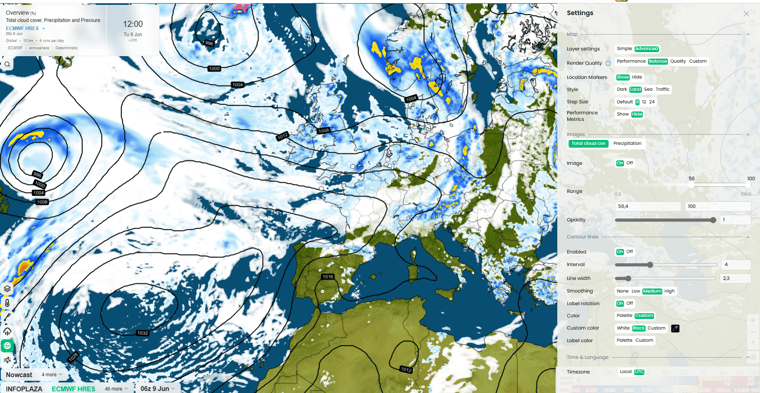 The advanced setting screen
-
You will also now see a Contour Lines section. Here you can customize the contour lines to your preference. Feel free to experiment. Any adjustments you make for an element are saved, so you can use them again next time.
Clear cache
If the application stops working the way you want it to for any reason, you can clear the cache. You will find this setting in Settings menu on top. Everything stored in I'm Weather's memory will be wiped and you start with a clean slate. Consider it a last resort, as you will for example need to set up your favorites again afterwards.
We think we have delivered another great update to I'm Weather. Get started with it and make the weather your own. Meanwhile, we will continue building new features that will also be introduced throughout 2026.
Until next time, The I'm Weather team